
Inventory Management
The Walmart LabelPortal has the ability to track the tag inventory and notify the website administrators when the inventory is running low.
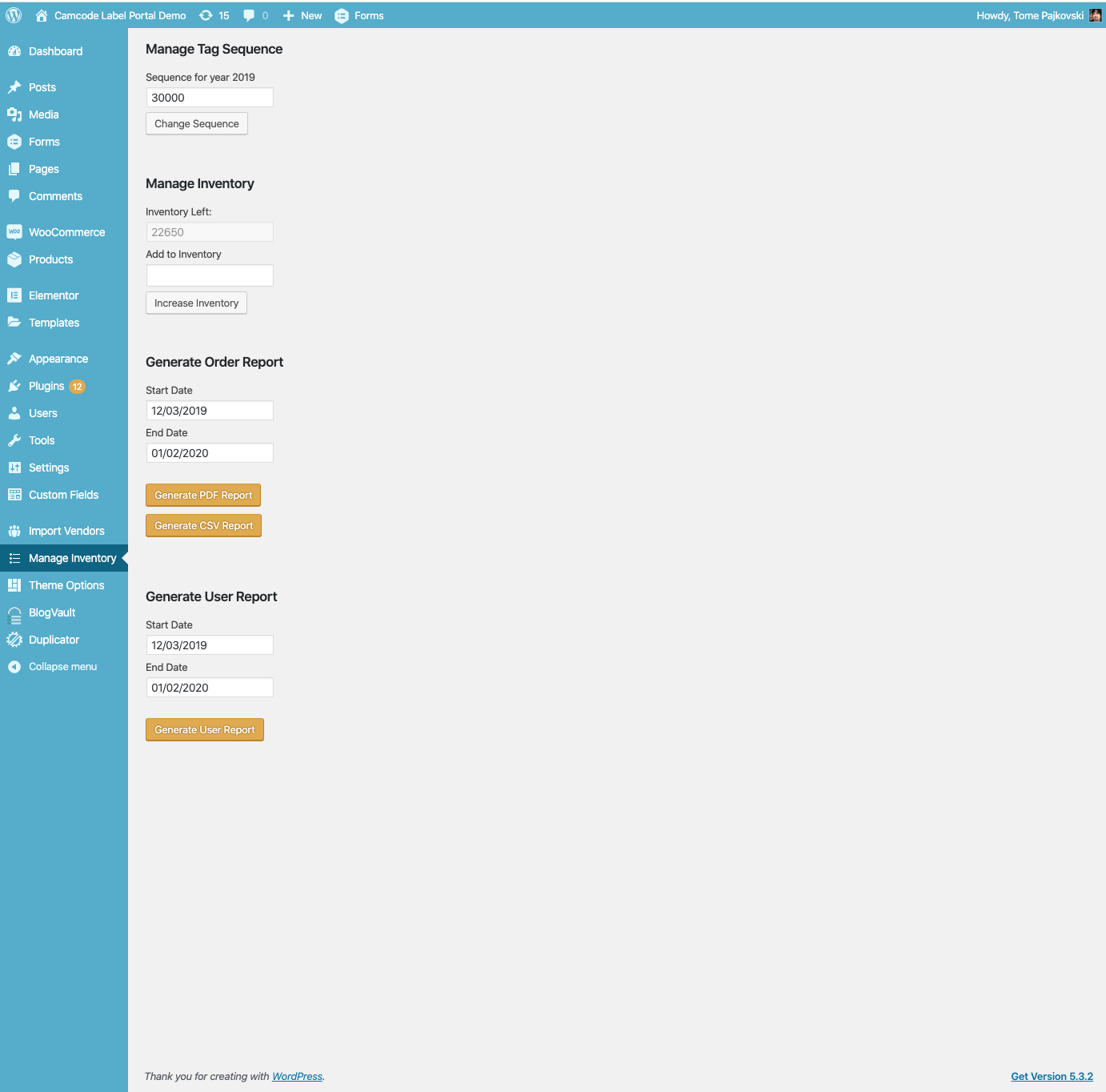
Increase the Current Inventory
- Log in to the Admin Dashboard.
- Go to the Manage Inventory section.
- Add the Additional Inventory amount.
- Click on the Increase Inventory Button
Modify the "Inventory is getting low" notification threshold
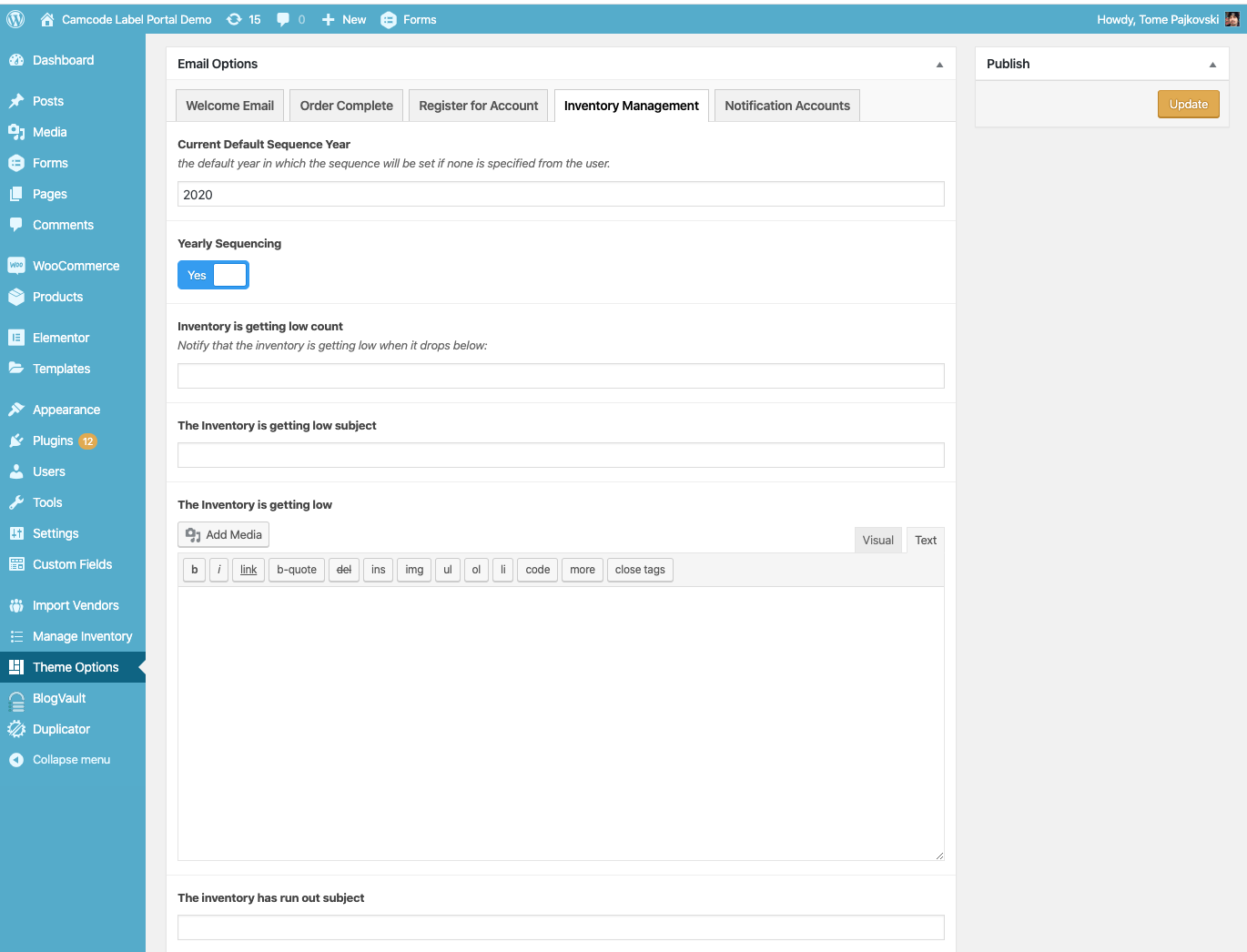
- Log in to the Admin Dashboard.
- Go to the Theme Options section.
- Select the Inventory Management Tab.
- Set the desired value in the Inventory is getting low count field.
- Save the changes by clicking the Update button.
Modify the "Inventory is getting low" notification email
- Log in to the Admin Dashboard.
- Go to the Theme Options section.
- Select the Inventory Management Tab.
- Modify any of the following:
- The Inventory is getting low subject
- The Inventory is getting low
- Click on the Update Button to save the changes.
Modify the "Inventory is empty" notification email
- Log in to the Admin Dashboard.
- Go to the Theme Options section.
- Select the Inventory Management Tab.
- Modify any of the following:
- The inventory has run out subject
- The inventory has run out
- Click on the Update Button to save the changes.