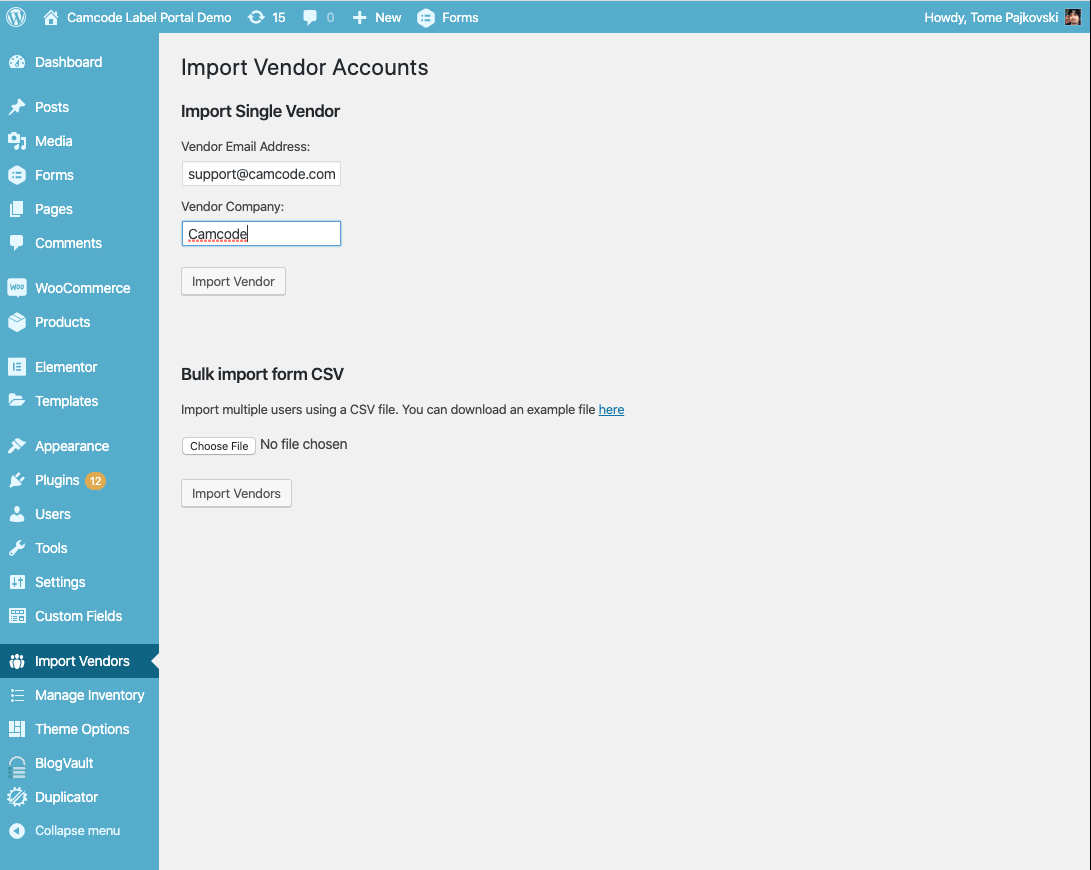
Add the Vendor email and company name (case sensitive), and click the "Import Vendor" button.
If the user import is successful, you will get a message. If the user already exists, there will be a notification and another email address has to be used.
The vendor will recieve an e-mail with a registration link.
Repeat the process for any additional users.
Importing Multiple Vendors via CSV File
Log in to the Admin Dashboard.
Go to the Import Vendors section.
Download the sample file using the link.
Add the vendors to the sample file.
Upload the file and click the "Import Vendors" buttton.
The vendors will recieve an e-mail with a registration link.
Modify the Welcome Email
Log in to the Admin Dashboard.
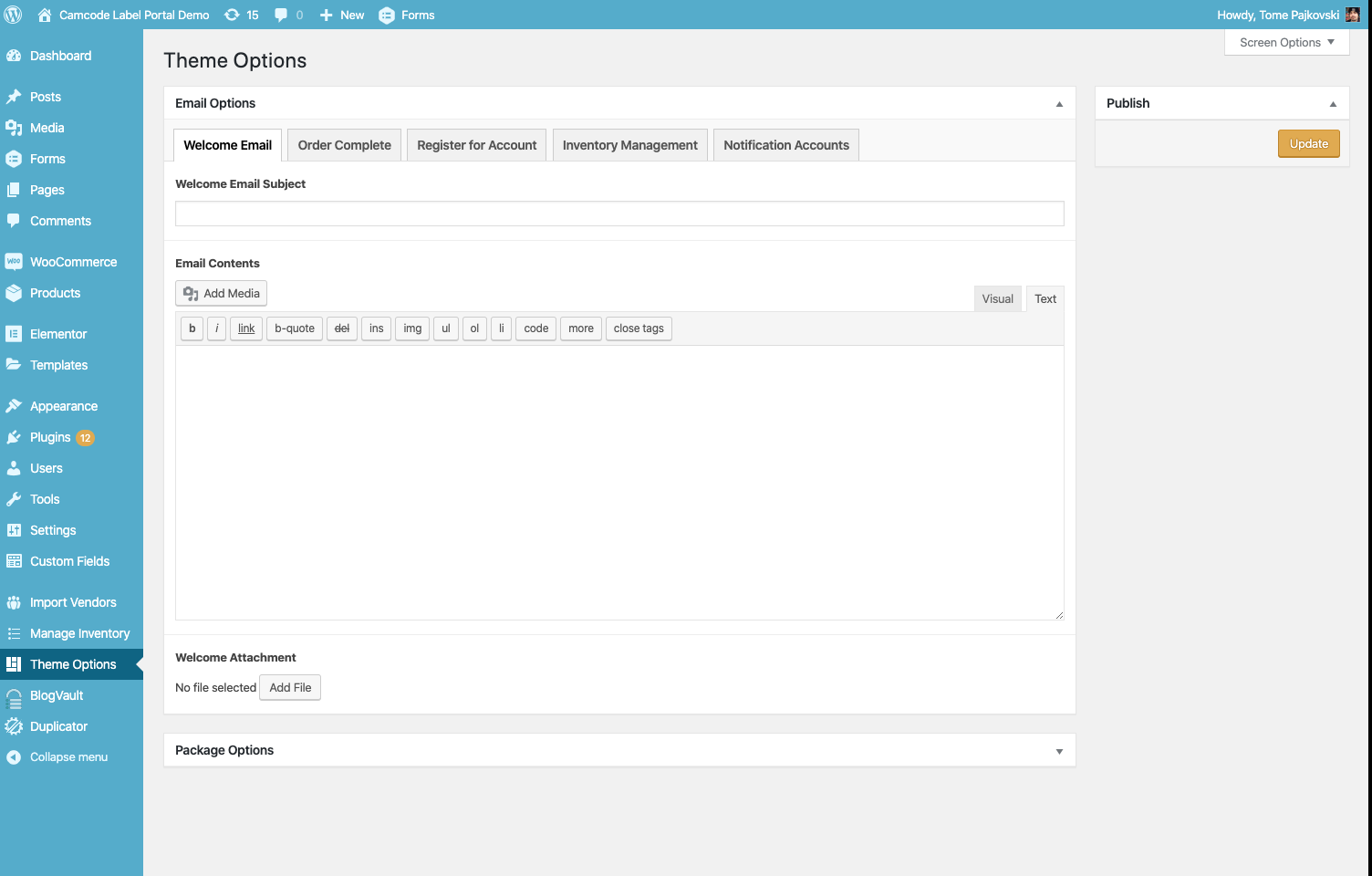
Go to the Theme Options section.
Select the Welcome Email Tab.
Modify any of the following:
Welcome Email Subject
Welcome Email Message
Welcome Attachment
Click on the Update Button to save the changes.
Preferably, test the welcome email by creating a test user.