Documentation

Documentation

  • Camcode Store
  • LabelPortal

›Unbounce Pages

Unbounce Pages

  • Allowed Fields
  • Adding Webhook
  • Troubleshooting
  • CE Form Integration Instructions

Adding Webhook

Webhooks are used to integrate the unbounce pages with AX.

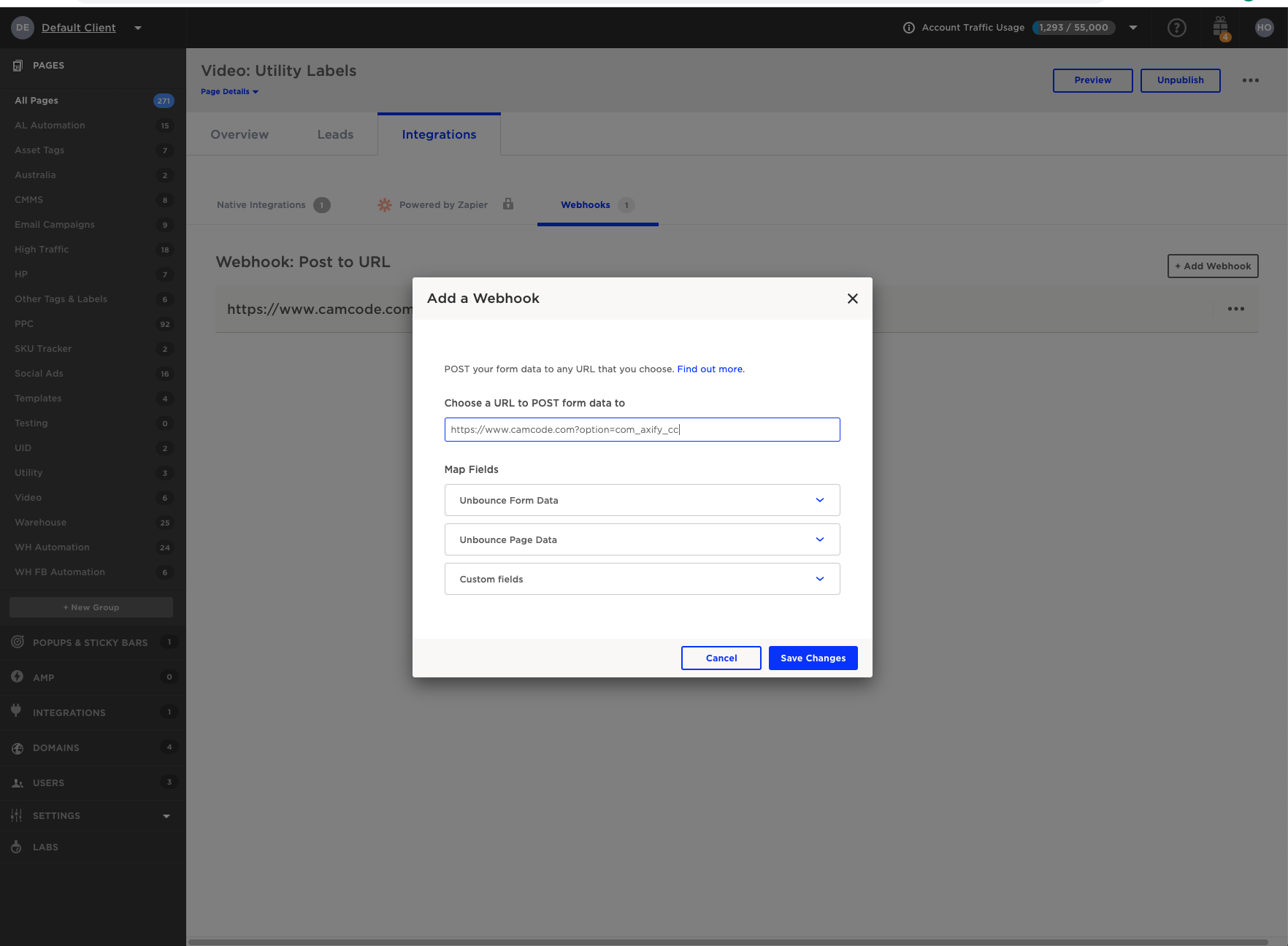
In order to create a webhook:

  1. Go to the unbounce page at Unbounce.com
  2. Select the integrations tab
  3. Select the Webhooks tab
  4. Click on add a webhook.
  5. Set the url to the url of the website (e.g https://www.camcode.com) and add the text "?option=com_axify_cc"
  6. Click on the Save Changes button

Adding a webhook

← Allowed FieldsTroubleshooting →
Docs
Getting Started (or other categories)Guides (or other categories)API Reference (or other categories)
Community
User ShowcaseStack OverflowProject ChatTwitter
More
BlogGitHubStar
Copyright © 2022 Camcode